> ## Documentation Index
> Fetch the complete documentation index at: https://knowledge.flowella.io/llms.txt
> Use this file to discover all available pages before exploring further.
# Webhooks
> Configure outbound webhooks from Settings → Webhooks: endpoint URLs, signing secrets, event subscriptions, retries, and delivery logs.
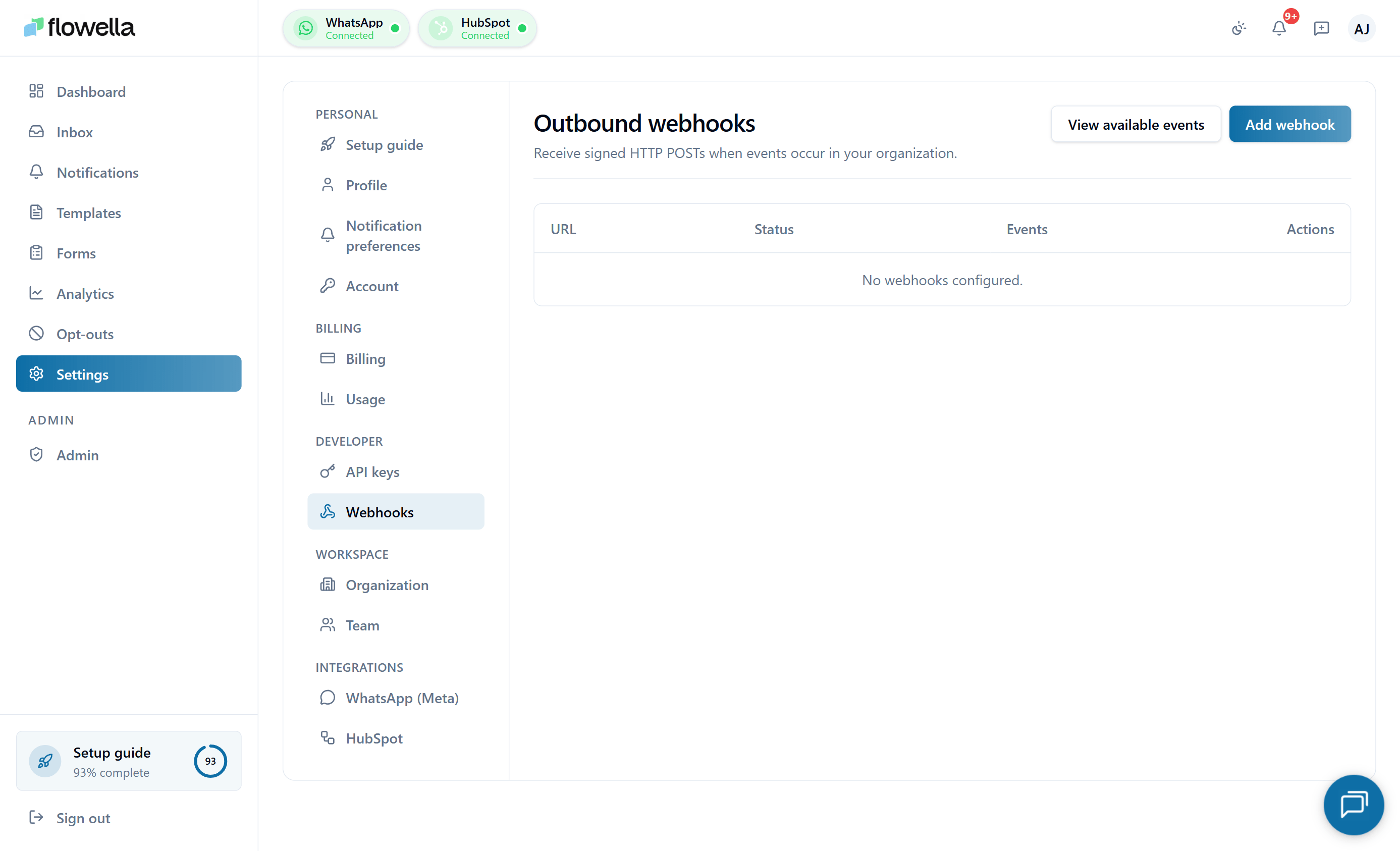 Webhooks let Flowella push events to your own systems in real time — for example, notify your CRM when a WhatsApp message is delivered, or kick off a background job when a HubSpot form sync fails. This page covers the in-app **Settings → Webhooks** screen.
For the payload schemas of each event, see [Webhooks reference](/api-reference/webhooks).
## Who can manage webhooks
Only **Owner** and **Admin** roles see Settings → Webhooks. Other roles do not have access.
## Adding a webhook endpoint
From the left navigation, go to **Settings → Webhooks**.
Enter the public HTTPS URL Flowella should POST events to. HTTP (without TLS) is not accepted.
Choose one or more event types — for example, `message.delivered`, `template.approved`, `flow.sync.failed`. The full event list is on [Webhooks reference](/api-reference/webhooks). You can subscribe to all events with a single checkbox.
Flowella shows the signing secret **once** at the end of the create flow. Save it in a secure store — you'll use it to verify the HMAC signature on every incoming request.
Use the **Send test** button to fire a synthetic event at your endpoint. The delivery log records the result so you can confirm your handler is wired up before going live.
## Signing and verification
Every webhook request includes an `X-Flowella-Signature` header with an HMAC-SHA256 signature of the raw request body, computed with your endpoint's signing secret. Verify it before trusting the payload:
```js Node.js theme={null}
import crypto from "crypto";
function verify(rawBody, signature, secret) {
const expected = crypto.createHmac("sha256", secret).update(rawBody).digest("hex");
return crypto.timingSafeEqual(Buffer.from(expected), Buffer.from(signature));
}
```
```python Python theme={null}
import hmac, hashlib
def verify(raw_body: bytes, signature: str, secret: str) -> bool:
expected = hmac.new(secret.encode(), raw_body, hashlib.sha256).hexdigest()
return hmac.compare_digest(expected, signature)
```
```ruby Ruby theme={null}
require "openssl"
def verify(raw_body, signature, secret)
expected = OpenSSL::HMAC.hexdigest("sha256", secret, raw_body)
Rack::Utils.secure_compare(expected, signature)
end
```
```php PHP theme={null}
function verify(string $rawBody, string $signature, string $secret): bool {
$expected = hash_hmac('sha256', $rawBody, $secret);
return hash_equals($expected, $signature);
}
```
The request also includes:
* `X-Flowella-Timestamp` — the Unix timestamp at send time. Reject requests where the timestamp is more than 5 minutes in the past or future to prevent replay attacks.
* `X-Flowella-Event` — the event type (for example, `message.delivered`).
* `X-Flowella-Delivery` — a unique delivery ID, useful for deduplication.
## Retries and back-off
If your endpoint returns a non-2xx status code (or times out after 10 seconds), Flowella retries with exponential back-off:
| Attempt | Delay after previous |
| ----------- | -------------------- |
| 1 (initial) | — |
| 2 | 30 seconds |
| 3 | 2 minutes |
| 4 | 10 minutes |
| 5 | 1 hour |
| 6 | 6 hours |
| 7 (final) | 24 hours |
After 7 failed attempts the delivery is marked **failed** and dropped. The endpoint is **not** automatically disabled — you can still receive future events on the same endpoint.
If 100 consecutive deliveries fail, Flowella **auto-pauses** the endpoint and sends a `WEBHOOK_PAUSED` notification. Resume it from the row's menu once you've fixed the underlying issue.
## Delivery log
Each endpoint row expands into a delivery log showing the last 7 days of attempts:
* **Event type and ID**
* **Status** — success, failed, retrying
* **Attempt number**
* **Response code and duration**
* **Response body** (first 1 KB)
* **Sent at**
Click any delivery to view the full request and response, or to **redeliver** it manually.
## Managing endpoints
From the endpoint row menu you can:
* **Edit** — change the URL or event subscriptions. (The signing secret stays the same.)
* **Rotate secret** — generate a new signing secret. The old secret stops working immediately, so coordinate the change with your handler.
* **Pause** — temporarily stop deliveries without losing the configuration.
* **Resume** — turn a paused endpoint back on.
* **Delete** — remove the endpoint and its delivery history.
## Common questions
Yes — there's no hard limit. Most orgs have 1–3 endpoints (production, staging, and an internal log sink). Keep the count low so the events fan out predictably.
The API is **pull** — your code asks Flowella for state. Webhooks are **push** — Flowella tells your code when state changes. Use webhooks for anything you'd otherwise poll for.
Webhook payloads include conversation IDs, contact phone numbers, message content, and template names. Treat the secret and the endpoint URL as sensitive. Restrict your endpoint to accept POST from Flowella's IP range if your infrastructure allows it.
Use a tunnel tool (ngrok, Cloudflare Tunnel) to expose your localhost endpoint to a public HTTPS URL, then point a **Test endpoint** at it. Don't put a tunnel URL into your production endpoint — they expire.
## Related
Event types, payload schemas, and headers.
The other half of programmatic integration.
Errors, rate limits, and pagination.
The same events delivered into the in-app feed and email.
Webhooks let Flowella push events to your own systems in real time — for example, notify your CRM when a WhatsApp message is delivered, or kick off a background job when a HubSpot form sync fails. This page covers the in-app **Settings → Webhooks** screen.
For the payload schemas of each event, see [Webhooks reference](/api-reference/webhooks).
## Who can manage webhooks
Only **Owner** and **Admin** roles see Settings → Webhooks. Other roles do not have access.
## Adding a webhook endpoint
From the left navigation, go to **Settings → Webhooks**.
Enter the public HTTPS URL Flowella should POST events to. HTTP (without TLS) is not accepted.
Choose one or more event types — for example, `message.delivered`, `template.approved`, `flow.sync.failed`. The full event list is on [Webhooks reference](/api-reference/webhooks). You can subscribe to all events with a single checkbox.
Flowella shows the signing secret **once** at the end of the create flow. Save it in a secure store — you'll use it to verify the HMAC signature on every incoming request.
Use the **Send test** button to fire a synthetic event at your endpoint. The delivery log records the result so you can confirm your handler is wired up before going live.
## Signing and verification
Every webhook request includes an `X-Flowella-Signature` header with an HMAC-SHA256 signature of the raw request body, computed with your endpoint's signing secret. Verify it before trusting the payload:
```js Node.js theme={null}
import crypto from "crypto";
function verify(rawBody, signature, secret) {
const expected = crypto.createHmac("sha256", secret).update(rawBody).digest("hex");
return crypto.timingSafeEqual(Buffer.from(expected), Buffer.from(signature));
}
```
```python Python theme={null}
import hmac, hashlib
def verify(raw_body: bytes, signature: str, secret: str) -> bool:
expected = hmac.new(secret.encode(), raw_body, hashlib.sha256).hexdigest()
return hmac.compare_digest(expected, signature)
```
```ruby Ruby theme={null}
require "openssl"
def verify(raw_body, signature, secret)
expected = OpenSSL::HMAC.hexdigest("sha256", secret, raw_body)
Rack::Utils.secure_compare(expected, signature)
end
```
```php PHP theme={null}
function verify(string $rawBody, string $signature, string $secret): bool {
$expected = hash_hmac('sha256', $rawBody, $secret);
return hash_equals($expected, $signature);
}
```
The request also includes:
* `X-Flowella-Timestamp` — the Unix timestamp at send time. Reject requests where the timestamp is more than 5 minutes in the past or future to prevent replay attacks.
* `X-Flowella-Event` — the event type (for example, `message.delivered`).
* `X-Flowella-Delivery` — a unique delivery ID, useful for deduplication.
## Retries and back-off
If your endpoint returns a non-2xx status code (or times out after 10 seconds), Flowella retries with exponential back-off:
| Attempt | Delay after previous |
| ----------- | -------------------- |
| 1 (initial) | — |
| 2 | 30 seconds |
| 3 | 2 minutes |
| 4 | 10 minutes |
| 5 | 1 hour |
| 6 | 6 hours |
| 7 (final) | 24 hours |
After 7 failed attempts the delivery is marked **failed** and dropped. The endpoint is **not** automatically disabled — you can still receive future events on the same endpoint.
If 100 consecutive deliveries fail, Flowella **auto-pauses** the endpoint and sends a `WEBHOOK_PAUSED` notification. Resume it from the row's menu once you've fixed the underlying issue.
## Delivery log
Each endpoint row expands into a delivery log showing the last 7 days of attempts:
* **Event type and ID**
* **Status** — success, failed, retrying
* **Attempt number**
* **Response code and duration**
* **Response body** (first 1 KB)
* **Sent at**
Click any delivery to view the full request and response, or to **redeliver** it manually.
## Managing endpoints
From the endpoint row menu you can:
* **Edit** — change the URL or event subscriptions. (The signing secret stays the same.)
* **Rotate secret** — generate a new signing secret. The old secret stops working immediately, so coordinate the change with your handler.
* **Pause** — temporarily stop deliveries without losing the configuration.
* **Resume** — turn a paused endpoint back on.
* **Delete** — remove the endpoint and its delivery history.
## Common questions
Yes — there's no hard limit. Most orgs have 1–3 endpoints (production, staging, and an internal log sink). Keep the count low so the events fan out predictably.
The API is **pull** — your code asks Flowella for state. Webhooks are **push** — Flowella tells your code when state changes. Use webhooks for anything you'd otherwise poll for.
Webhook payloads include conversation IDs, contact phone numbers, message content, and template names. Treat the secret and the endpoint URL as sensitive. Restrict your endpoint to accept POST from Flowella's IP range if your infrastructure allows it.
Use a tunnel tool (ngrok, Cloudflare Tunnel) to expose your localhost endpoint to a public HTTPS URL, then point a **Test endpoint** at it. Don't put a tunnel URL into your production endpoint — they expire.
## Related
Event types, payload schemas, and headers.
The other half of programmatic integration.
Errors, rate limits, and pagination.
The same events delivered into the in-app feed and email.