

How to open it
Analytics is a channel-scoped page. Pick the channel you want, then go to:Date range
The page includes three presets and a custom range:- Last 7 days
- Last 30 days (default)
- Last 90 days
- Custom — pick any start and end date
Metrics
Channel summary
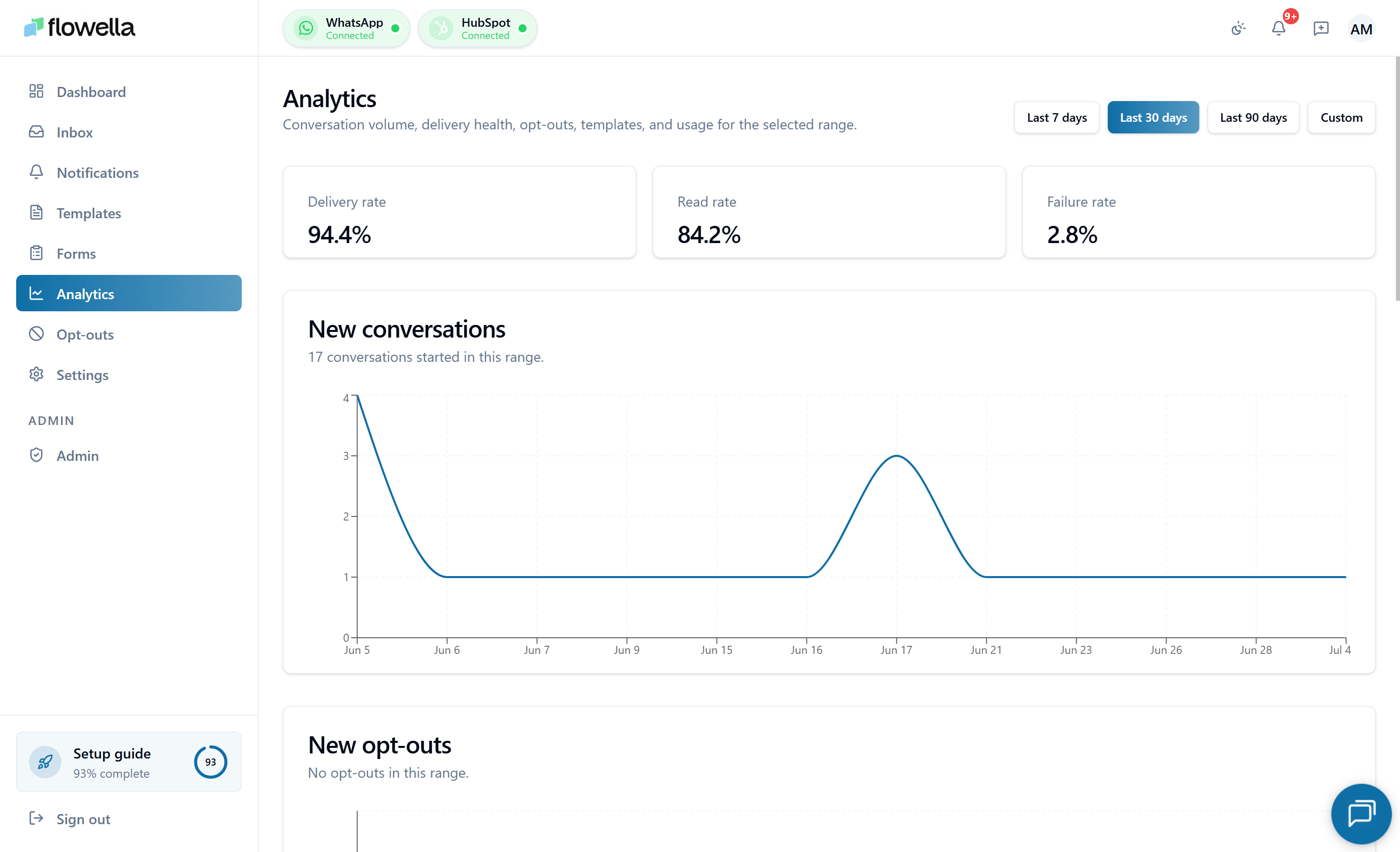
Three headline numbers for the selected range and channel:- Delivery rate — percentage of outbound messages Meta confirmed delivered.
- Read rate — percentage of delivered messages the recipient opened.
- Failure rate — percentage of outbound messages that failed. The number renders in red only when failure rate is above 5% and there has been outbound activity in the range. With no activity, the page shows a neutral “No activity in this range” message rather than a misleading red 0.0%.
Conversations over time
A line chart of distinct conversations per day, week, or month. A “conversation” is any thread with at least one inbound or outbound message in that bucket.Opt-outs over time
New opt-outs per bucket. Useful for spotting spikes that might correlate with a specific campaign or template.Usage over time
Total outbound messages per bucket, used for capacity planning against your plan limits.Templates table
A per-template breakdown for the selected range:- Send count
- Delivery rate
- Read rate
Per-template drill-down
Click any row in the Templates table to open a side sheet with 100% of the send logs for that template in the current date range (not a sampled subset). The side sheet shows:- One row per send, with recipient phone (masked), send time, status (Queued, Sent, Delivered, Read, Failed, Suppressed), and the same plain-English Details column as the template’s own Statistics tab — see Templates → Per-send Details column. Details resolves the most common Meta delivery failures into readable text —
131049(per-user marketing limit),131050(contact opted out of marketing),131048(spam/quality block on your number),131063(marketing disabled on this Cloud API config), and131064(template classification limit) — using the same copy shown under failed bubbles in the inbox. Anything Flowella doesn’t have a mapping for falls back to Meta’s own wording with the code in parentheses. - Search by phone or message content.
- Sort by any column (defaults to send time, newest first).
- Status filter chips at the top to narrow to a single outcome — for example, only Failed to triage delivery issues.
Per-template export
The drill-down side sheet has its own Export dropdown that produces a CSV or PDF for just this template — independent of the main page-level export described below. Use it when you need to share or audit performance for one template without pulling the whole channel’s data.Exporting data
Click the Export dropdown to download the data behind the charts and table. You can pick:- CSV — one file containing the five metrics (conversations, messages, opt-outs, templates, usage).
- PDF — a snapshot of the current charts for sharing.
Sample data
If you have no WhatsApp channel connected yet, Analytics still renders with illustrative numbers behind a “Sample data” callout. This lets you preview the page without committing to set-up.Related
Dashboard
The 7-day snapshot that feeds the org home page.
Reporting in HubSpot
Surface WhatsApp activity alongside email, calls, and meetings.
Quality score
What Meta watches and how delivery / read rates feed into it.
Messaging limits
Meta’s per-day send caps that interact with these metrics.