

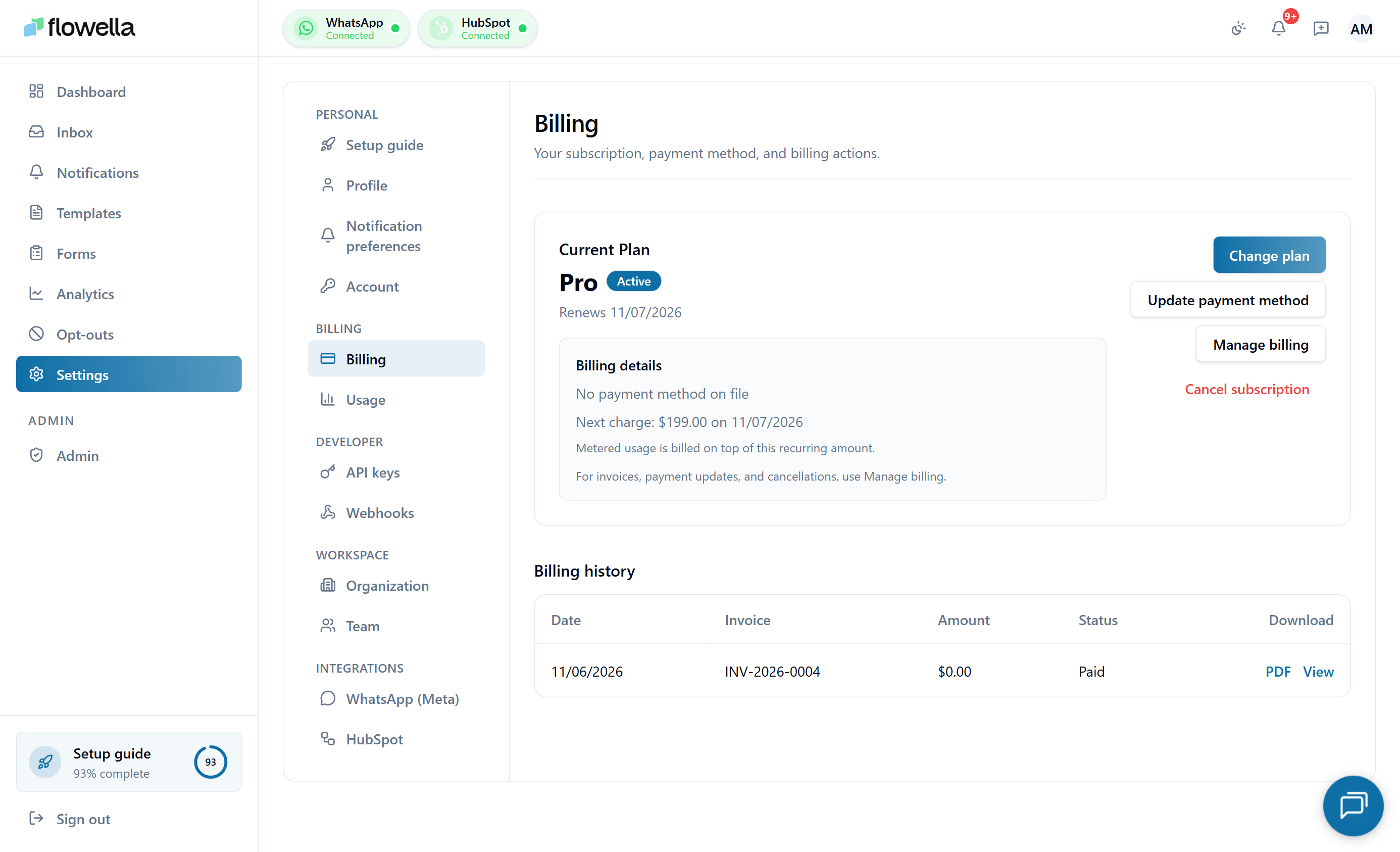
Who can manage billing
Only the Owner of an organisation can change plan or update payment details. Admins and Members see the billing page but cannot make changes.Choosing or changing a plan
1
Open Billing
Go to Settings → Billing in the app. The page always syncs with Stripe on load, so you see the canonical state, not a cached snapshot.
2
Pick a plan card
Compare the plan cards on the Billing page and click Upgrade to Starter or Upgrade to Pro. Enterprise shows a Contact sales button that opens flowella.io/contact instead of starting a checkout.
3
Complete Stripe Checkout
Flowella opens Stripe Checkout with your email and phone (if set on your profile) prefilled. Enter your card details and a billing address — the address is required so Stripe can apply the correct automatic tax. Stripe handles card processing; Flowella never sees your card number.
4
Return to Flowella
After checkout, Stripe redirects you back to Settings → Billing. The page polls until the new subscription is reflected in the app, usually within a few seconds. If checkout is cancelled, your existing plan is unchanged.
Plan cards on the Billing page
The Billing page shows the plan cards side by side. Prices come from Stripe, so what you see on the card is what Stripe Checkout will charge. There is no ongoing free plan — new accounts start on the 14-day free trial, and when it ends you upgrade to Starter or Pro to continue sending.- Starter — For teams just getting started with WhatsApp for Business.
- One organization workspace
- 1,000 included billable conversations / month
- Shared team inbox
- Templates and HubSpot flows
- Email support
- Pro — For growing teams scaling WhatsApp automation.
- Everything in Starter
- 2,500 included billable conversations / month
- Priority support
- Channel analytics
- API access
- Enterprise — For organisations needing advanced support and bespoke solutions.
- Everything in Pro
- Advanced support
- Bespoke solutions
Flowella plan pricing only. Meta bills WhatsApp conversation fees separately — see Pricing and conversation categories.
Tiered pricing display
The Billing page renders your plan’s expanded pricing tiers — base subscription plus any tiered overage rates — alongside a payment summary showing the most recent invoice and next renewal date. If you’re on Starter or Pro, this is where you can see at a glance what you’d pay for an extra block of conversations.Usage metering and Stripe meter health
Flowella reports your monthly conversation count to Stripe as a usage meter. The Billing page surfaces a meter health indicator so you can confirm the count Stripe sees matches the count Flowella has recorded. If a discrepancy is detected (meter drift), the page shows a warning and Flowella automatically reconciles in the background. If the warning persists for more than a billing cycle, contact support — it usually means a webhook between Stripe and Flowella has been blocked.Managing an existing subscription
Once you have an active subscription, Settings → Billing shows a Manage subscription button that opens the Stripe customer portal in a new tab. From there you can:- Update card details
- Download invoices
- Switch plans
- Cancel the subscription
Subscription states
Your subscription is always in one of these states:
Trialing and Active behave the same way for what you can do in the app.
What is locked when a subscription lapses
If your subscription becomes past due or is cancelled and the period ends, paid features are restricted. You will still be able to:- Sign in and view your data
- Reach the Billing page to fix payment
Your contacts, opt-out list, conversation history, and configuration are preserved while a subscription is paused. Nothing is deleted automatically.
Plans
Flowella offers a 14-day free trial and three paid tiers:- Free trial — 14 days of full access at signup, then upgrade to keep sending. There is no ongoing free plan
- Starter — small teams
- Pro — growing programmes
- Enterprise — large or regulated deployments
Related
Plans & limits
What each plan includes, trial cap, and how overage works.
Pricing & categories
How Meta charges are separate and how Flowella usage is counted.
Usage
Track conversation count and remaining allowance in real time.
Actions locked by billing
What’s blocked when a payment fails and how to restore access.
Meta payment method
The separate card Meta uses for WhatsApp delivery fees.
Team and roles
Only Owners can change billing.