

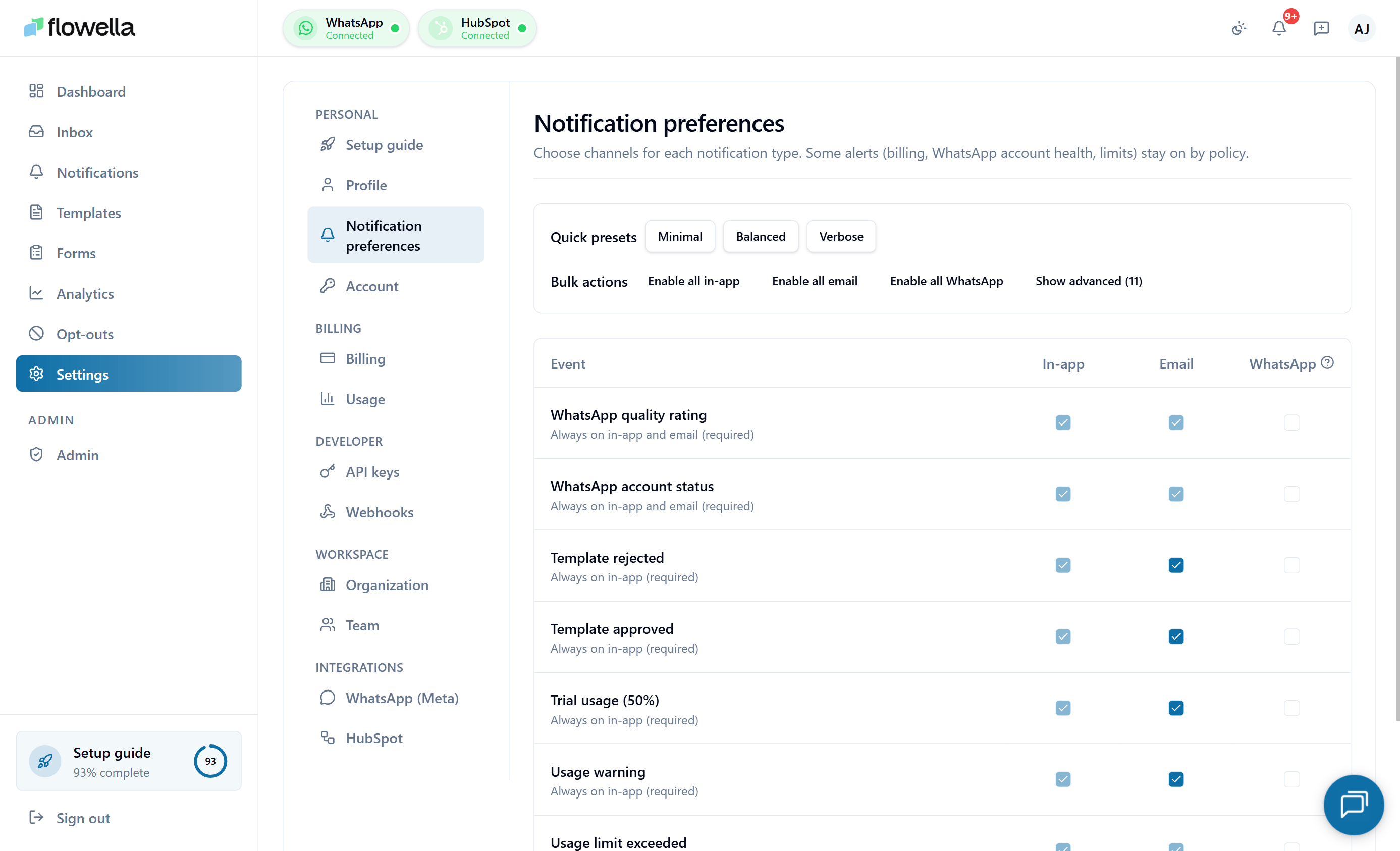
Opening Settings → Notification preferences
From the left navigation, go to Settings → Notifications.How preferences are structured
Preferences are grouped by category.Account & authentication
Sign-in, password changes, new-device alerts.
Billing & usage
Invoices, trial lifecycle, usage thresholds.
Templates
Submission, approval, rejection, re-categorisation, pause/disable, and quality drops.
WhatsApp Flows & forms
Sync results, publish events.
HubSpot integration
Connection state, sync failures.
Channels & Meta
Channel connections, verification, quality drops.
Exports & imports
Long-running job completion.
- In-app — shows in the bell icon feed at
/notifications. - Email — sends to your verified profile email.
Mandatory categories
Other categories — usage soft alerts, template lifecycle events, HubSpot sync events — are optional.
Org-wide operational email
Some org-level events (failed payments, subscription cancellation, trial expiry) are delivered both to your personal email and to a single org-wide operational address. The org-wide address is configured separately: Settings → Organisation → Notifications email Set this to your billing or operations team alias so critical events reach someone even when individual users are out of office.Daily reminder sweep
Flowella runs a daily sweep that re-surfaces high-impact unread notifications — for example, an unreadTEMPLATE_REJECTED or HUBSPOT_SYNC_FAILED that has been sitting for more than 24 hours. The sweep respects your preferences: if you’ve turned off email for that category, the reminder is in-app only.
You cannot disable the sweep itself, but you can disable individual category reminders by turning off the underlying event.
Quiet hours and digests
There is currently no quiet-hours or digest mode — every triggered notification is delivered immediately on the channels you’ve enabled. If you need to silence Flowella outside business hours, the practical workaround is to filter thenotifications@flowella.io sender into a folder in your email client.
Quiet hours and a daily digest mode are on the product roadmap.
Common questions
Why didn't I receive an email?
Why didn't I receive an email?
Most often: your profile email is unverified, or the message landed in spam. Check Settings → Profile for the verification status, and search your spam folder for
notifications@flowella.io. If the email is verified and not in spam, check whether the event’s email toggle is on.Can I subscribe other people to my notifications?
Can I subscribe other people to my notifications?
No — preferences are strictly per-user. If you want a teammate to receive an event, they need to be a member of the org with the relevant role and they manage their own preferences.
What happens to my preferences if I'm in two organisations?
What happens to my preferences if I'm in two organisations?
Preferences apply across every org you’re a member of. There is no per-org override yet. Roadmap.
How do I find out which events are available?
How do I find out which events are available?
See Notification events for the full catalogue with payload shapes.
Related
Notification events
The full catalogue of events with channels and mandatory flags.
Notifications feed
The in-app feed these preferences control.
Webhooks
Push the same events to your own systems instead.
Profile
Verify your email address to receive notification emails.