

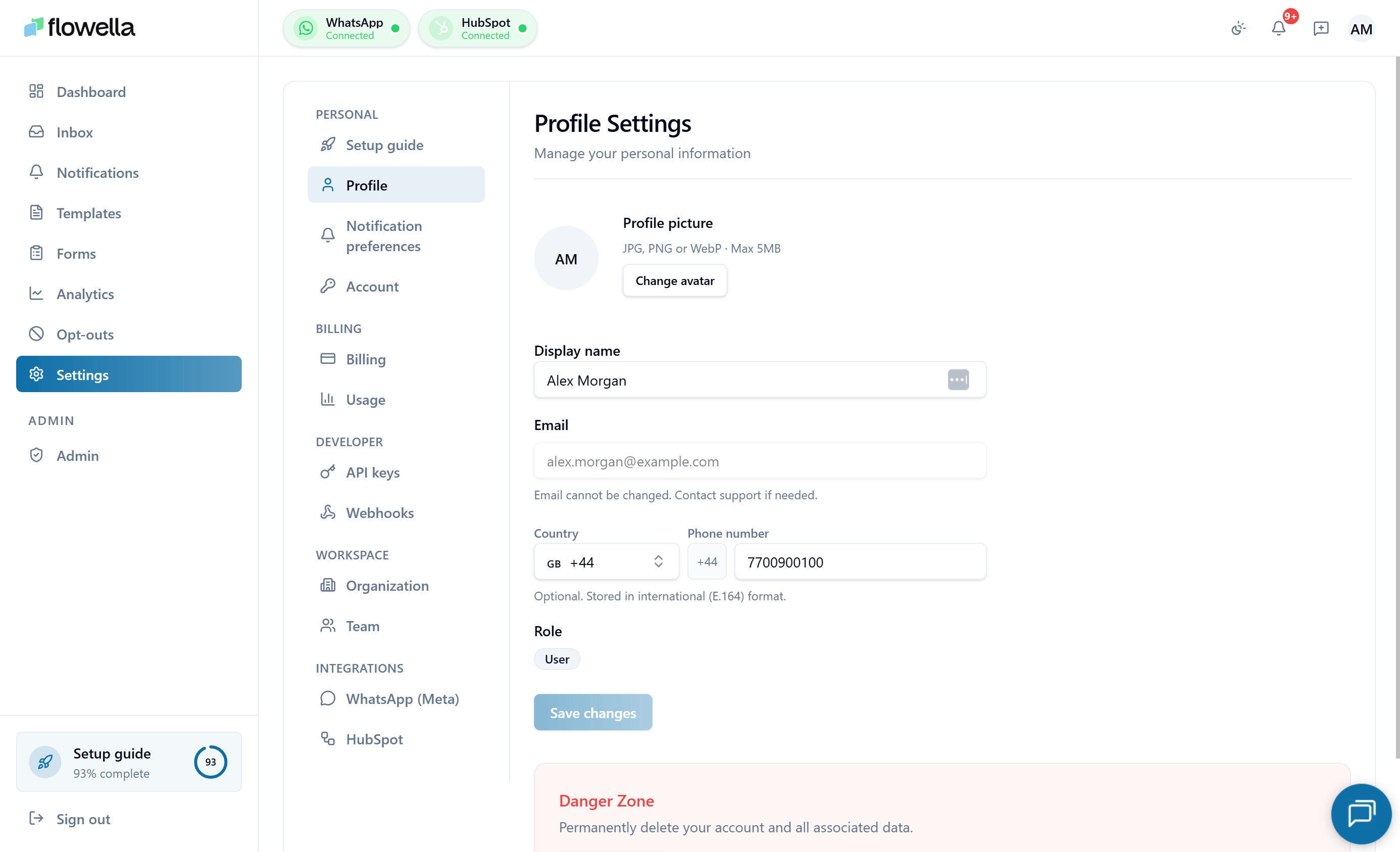
Opening Settings → Profile
From the left navigation, click your avatar → Profile, or go to Settings → Profile.What you can change
Display name
The name shown to teammates in the inbox, notifications feed, audit log, and team list. We recommend your full first and last name — initials make it harder for teammates to attribute conversations.Avatar
Click your current avatar to upload a new one.- Accepted formats: JPEG, PNG, WebP.
- Maximum file size: 2 MB.
- Recommended: a square image at least 256 × 256 px.
Phone number (optional)
You can add a phone number in international format (E.164, for example+447700900123). The country picker resolves the format for you.
The phone number is used to:
- Prefill the Stripe Checkout form when starting or changing a subscription.
- Sync your contact details to Stripe so invoices show the right phone number.
- (Optional, opt-in) Receive WhatsApp notifications about your account.
Locale
Sets the language for the Flowella UI and emails. Available locales:- English (en, default)
- Español (es)
- Türkçe (tr)
- Deutsch (de)
- Ελληνικά (el)
- Français (fr)
- Italiano (it)
- Português (pt-BR)
- العربية (ar) — draft
NEXT_LOCALE cookie so it follows you across devices and reloads.
Arabic is a draft locale. The interface switches to right-to-left when you pick
ar: the root <html> element flips to dir="rtl" lang="ar", page layout uses logical inline start/end spacing, and directional icons (chevrons, arrows, send, reply, panel toggles) mirror automatically. Universal glyphs like search, check, and the WhatsApp mark are not mirrored. Translation is still in progress, so some strings may fall back to English until the Arabic message pack is finalised.Password
Click Change password to set a new password. You’ll be asked to enter your current password first.If you signed up via magic link or SSO and have never set a password, the section instead reads Set password — useful as a backup sign-in method.
- At least 12 characters.
- A mix of letter cases and at least one number or symbol.
- Cannot match your last 5 passwords.
AUTH_PASSWORD_CHANGED notification to your email.
Email address
Linked WhatsApp account
If you have linked a personal WhatsApp number for notifications, it’s shown here with an Unlink action. Unlinking stops Flowella from sending notifications to that number but does not affect your Flowella sign-in.Sessions
The Active sessions panel lists every device currently signed in to your account, with:- Device and browser fingerprint
- IP address (truncated)
- Last activity timestamp
- A Sign out action
Related
Sign in
Password reset, magic link, and the bot-protection check.
Notification preferences
Choose which events deliver to your in-app feed and email.
Team and roles
What each role can do across the org.
Billing
Your phone number is reused on Stripe checkout for prefill.