

Who can change organization settings
For the full role breakdown, see Team and roles.
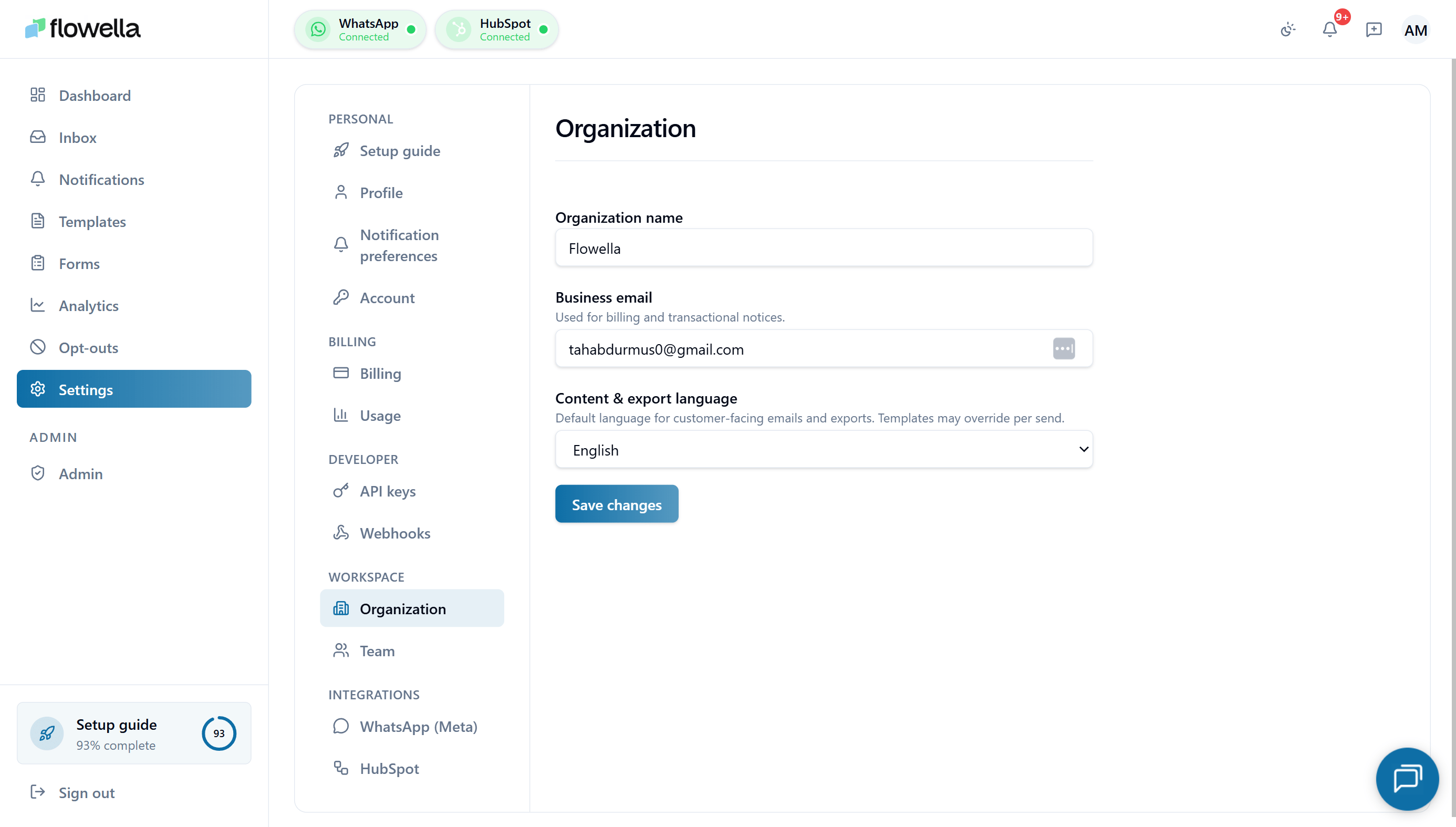
Opening Settings → Organization
From the left navigation click Settings, then choose Organization under the Workspace section of the settings sidebar.What you can change
Organization name
The human-readable name for your workspace. It appears:- In the org switcher when you belong to more than one Flowella organization
- On Stripe invoices and receipts
- On audit log entries and outbound webhook payloads
Renaming the organization does not change your subdomain or any deep links. The internal organization ID stays the same, so existing API keys, webhook subscriptions, and HubSpot connections continue to work.
Business email
The email address Flowella uses for billing and transactional notices — invoices, payment failure alerts, subscription state changes, and Meta-related billing events.- This is the org-level address, not an individual user’s account email. Use a shared inbox (for example
billing@yourcompany.com) so cover is maintained when people leave. - If you leave the field empty, Flowella falls back to the Owner’s profile email.
- This address does not receive product notifications — those follow each user’s notification preferences.
Content & export language
The default language for customer-facing content generated by Flowella, including:- Default copy in system-sent emails to your customers (for example, opt-out confirmation emails where applicable)
- Headers and labels on CSV/XLSX exports from the inbox, analytics, and forms
- Default locale used when no template-level language override is set
- English (en)
- Español (es)
- Türkçe (tr)
- Deutsch (de)
- Ελληνικά (el)
- Français (fr)
- Italiano (it)
- Português (pt-BR)
- العربية (ar) — draft
This is the organization default. Individual templates and Flow forms can override it per send — see Template reference. Each user’s UI language is still controlled by their own profile locale.
Arabic operational copy (system emails, in-app notifications) is still being reviewed. Where a translated string is missing, Flowella falls back to English so customers always receive a legible message. Exports and headers respect the selected language once available.
Saving changes
Click Save changes at the bottom of the screen. Updates take effect immediately:- The new organization name shows in the switcher on next page load.
- Stripe customer records are updated within a few seconds.
- The new content language applies to the next export or system email — already-queued items keep the old language.
Related
Team
Invite teammates and manage roles for this workspace.
Billing
Plan, payment method, and invoices for this organization.
Meta integration
Connect and manage the WhatsApp Business Account attached to this org.
Profile
Your personal account details — separate from organization-level settings.